How to Set Up Automated WhatsApp Reminders for Pledges

Someone pledges £50 at your charity dinner. They mean it. They'll pay tomorrow. Then tomorrow becomes next week. Next week becomes next month. The pledge gap.
PledgeNow closes that gap with automated WhatsApp messages — warm, respectful follow-up that converts promises into payments without you chasing anyone.
What donors receive
Open the Automations tab. This is the donor journey — every message your donors receive, automatically.
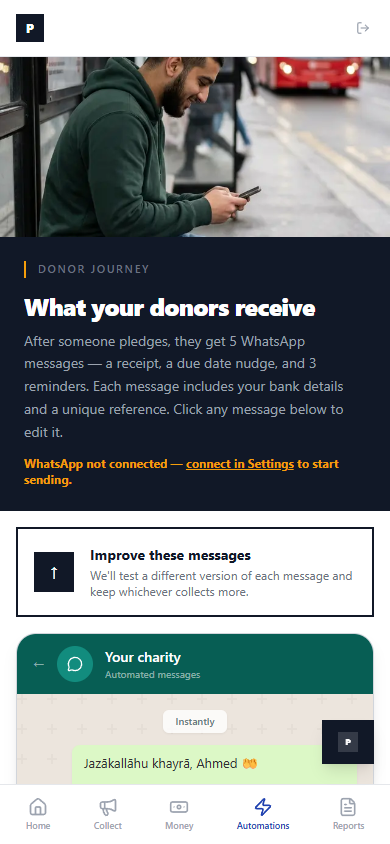
Five messages in total. Each one includes your bank details and a unique payment reference. All automatic.
The WhatsApp thread
Here's exactly what your donors see in their WhatsApp:
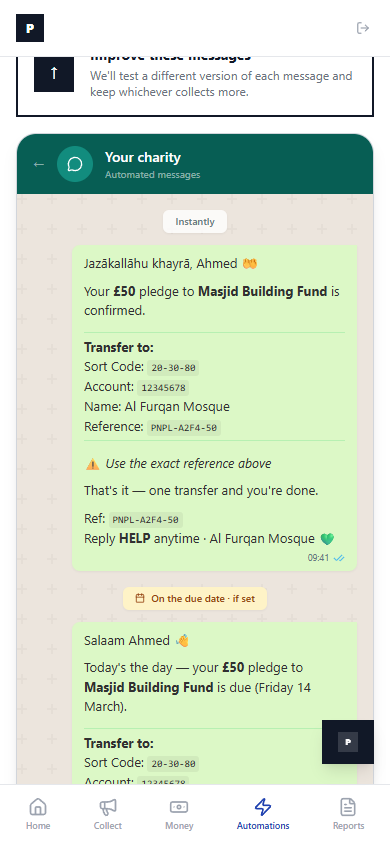
Instantly: A warm receipt. "Jazākallāhu khayrā, Ahmed 👋" — your bank details, a unique reference (PNPL-A2F4-50), and a clear instruction: one transfer and you're done.
On the due date: A gentle nudge. "Today's the day — your £50 pledge to Masjid Building Fund is due." Same bank details. Same reference. Already paid? Reply PAID.
If they haven't paid
The system waits. If no payment arrives:
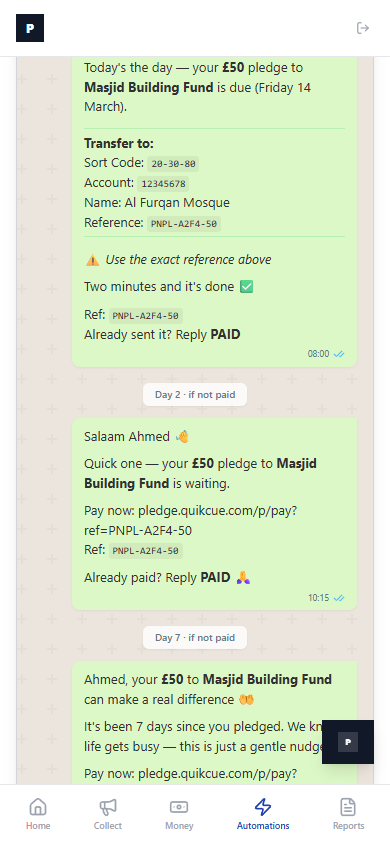
Day 2: "Quick one — your £50 pledge is waiting. Pay now: [link]. Already paid? Reply PAID 🙏"
Day 7: "It's been 7 days since you pledged. We know life gets busy — this is just a gentle nudge."
Day 14: Final reminder. If they still haven't paid, the pledge moves to "Needs a nudge" status on your dashboard.
Every message is customisable. Click any bubble to edit the wording. The tone stays warm because your donors are your community — not debtors.
How it works
No setup required beyond connecting your WhatsApp in Settings. The five-step flow runs automatically:
- Someone pledges → receipt sent instantly
- Due date arrives → gentle nudge
- Day 2 → first reminder
- Day 7 → second reminder
- Day 14 → final reminder
You do nothing. The system tests different message versions and keeps whichever converts more pledges into payments. Automatically.
The result: charities using PledgeNow collect 40-60% more of their pledges than those chasing by phone and email.
Stop losing pledges. Start tonight.
Pledge Now, Pay Later captures every promise, follows up automatically, and lets donors pay on their own time. No card required. No catch.
Get fundraising tips in your inbox.
No spam. Just practical resources when we have something worth sharing.
Related articles
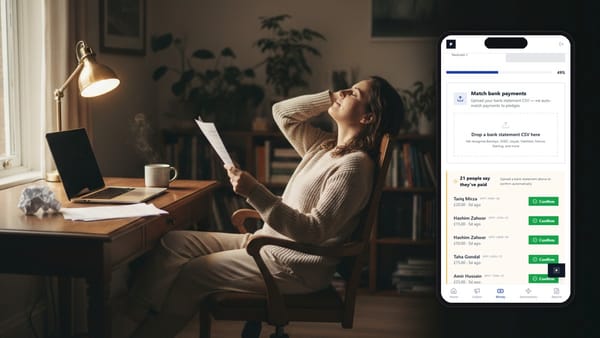
Bank Statement Reconciliation: Match Payments to Pledges
It's Tuesday evening. You download your bank statement. There are 47 incoming transfers. Some have the
Event Night Checklist: Maximising Pledge Collection
It's the night of your charity gala. 200 guests. An auctioneer on stage. Hands going up.
Exporting Gift Aid Declarations for HMRC
Your charity collected £13,035 in pledges. Of those, 50 donors ticked the Gift Aid box. That means