Getting Started with PledgeNow: Complete Setup Guide

You just ran your first charity dinner. 47 people raised their hands to pledge. You wrote some numbers on the back of a napkin. Now what?
This is what your first five minutes in PledgeNow look like.
1. Sign up (30 seconds)
Go to pledgenow.co/signup. Google, Apple, or email — whichever you prefer. No card. No trial. Free forever.
2. Set up your charity (60 seconds)
You'll see the setup wizard. Two fields: your charity name and charity number (optional). That's it for step one.
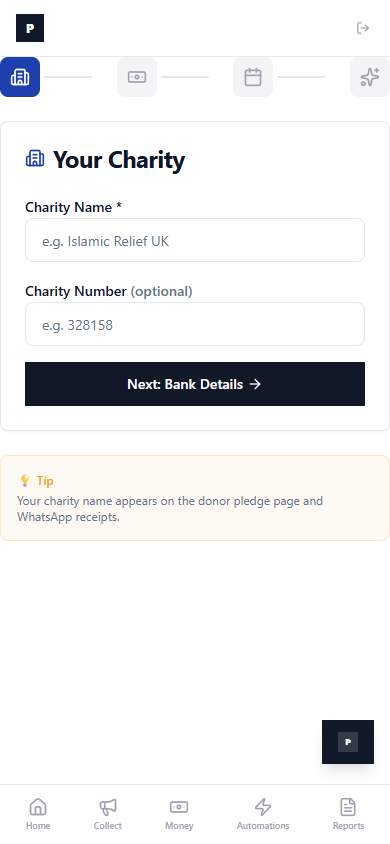
Next, add your bank details. This is what appears on donor receipts so they know exactly where to send the money. Sort code, account number, account name.
Then create your first event — give it a name like "Ramadan Gala 2026" or "London Marathon 2026".
Finally, connect WhatsApp if you want automatic receipts and reminders (you do — this is where the magic happens).
3. Share your pledge link (30 seconds)
Your pledge link is live immediately. Go to the Collect tab. You'll see your link, a QR code, and sharing buttons.
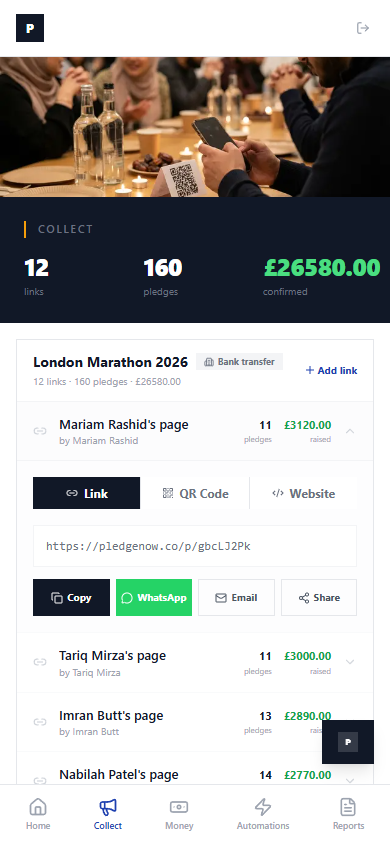
Tap WhatsApp to send the link to your volunteers. Tap QR Code to project it at your next event. Each volunteer gets their own page so you can see who's raising the most.
4. Donors pledge in 60 seconds
When someone opens your link, they see a clean, simple pledge form. Choose an amount, enter their name, done. No payment taken — they pay later via bank transfer.
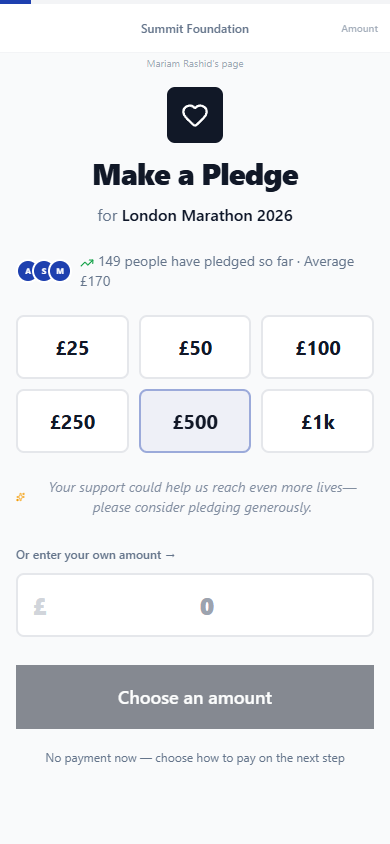
Social proof is built in: "149 people have pledged so far · Average £170." This nudges generosity upward.
5. Watch the dashboard fill up
Head back to the Home tab. This is your command centre.
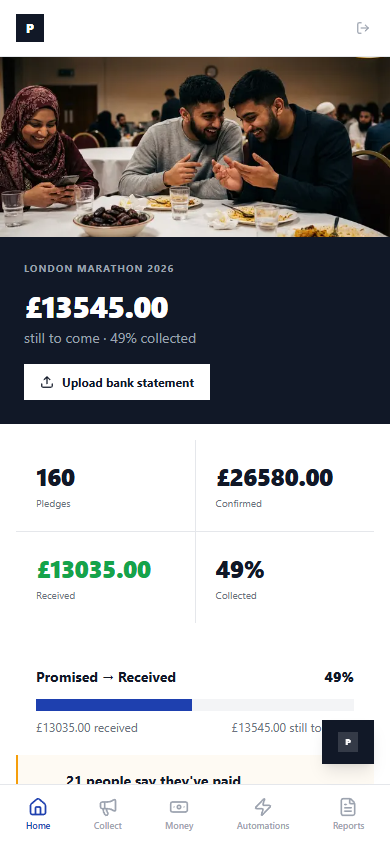
160 pledges. £26,580 confirmed. £13,035 received. 49% collected. A real-time view of every promise made and every payment received.
Scroll down and you'll see who needs attention — the pledges that need a gentle nudge.
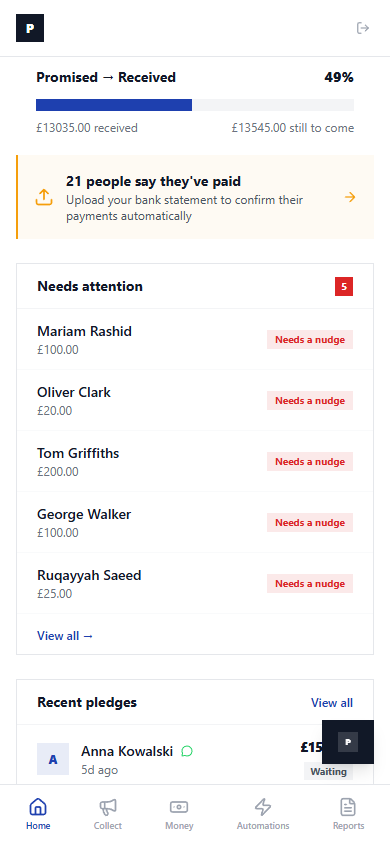
That's it. Five minutes. From nothing to a live pledge collection system with automatic receipts, real-time tracking, and a dashboard your trustees will love.
Stop losing pledges. Start tonight.
Pledge Now, Pay Later captures every promise, follows up automatically, and lets donors pay on their own time. No card required. No catch.
Get fundraising tips in your inbox.
No spam. Just practical resources when we have something worth sharing.
Related articles

Bank Statement Reconciliation: Match Payments to Pledges
It's Tuesday evening. You download your bank statement. There are 47 incoming transfers. Some have the

How to Set Up Automated WhatsApp Reminders for Pledges
Someone pledges £50 at your charity dinner. They mean it. They'll pay tomorrow. Then tomorrow becomes

Event Night Checklist: Maximising Pledge Collection
It's the night of your charity gala. 200 guests. An auctioneer on stage. Hands going up.